It201 Project 1
Terrain: Lowpoly Environment - Nature Free - MEDIEVAL FANTASY SERIES by https://assetstore.unity.com/packages/3d/environments/lowpoly-environment-nature-free-medieval-fantasy-series-187052
Skybox: Fantasy Skybox FREE by Render Knight
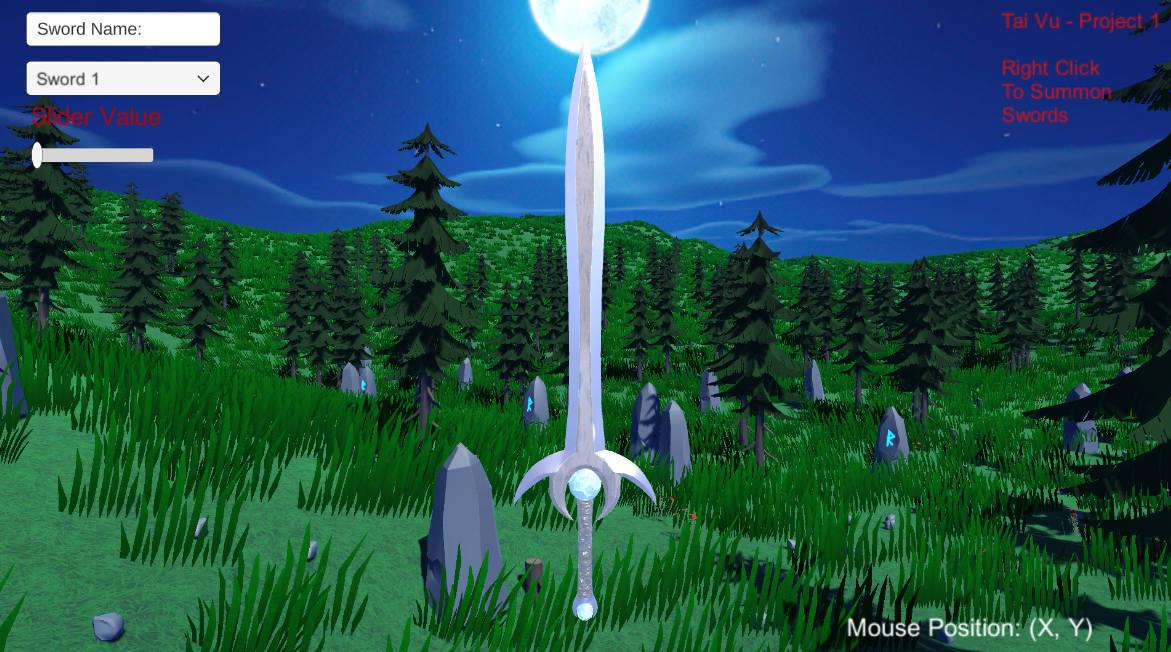
Sword: Fantasy Moon sword by Hovl Studios
Feature 1: Display Mouse Position
Description: The X and Y coordinates of the mouse is recorded and is outputted to a textbox.
Input: The X and Y coordinates of the mouse
Output: The Text is displayed in the bottom right corner: "Mouse Position: (X, Y)"
Process: gets the mouse positions, outputs the x and y positions in a text box
Feature 2: Summon Swords
Description: This feature creates swords. Every new sword created, is a created a bit further on the z-axis every incrementation.
Process: Right Click, creates a vector object of the position, that object is where the user right clicked plus the changed distance, a new sword object is created at that location
Input: Mouse Right Click
Output: a sword model that is spawned at that position + distanceChanged value (for the z-axis) and falls to the ground and through the ground
Feature 3: Change Sword Material
Description: The index of the dropdown menu is retrieved based on what the user chooses. The material of the main sword then changes depending on what was chosen.
Input: The user's click onto whatever option in the dropdown
Output: The main sword material is changed to whatever material is chosen by the user
Process: the user picks a dropdown, based on the index of the dropdown, the materials from a set list is chosen (sorted by index).
Feature 4: Rotating the Sword
Description: The user slides the bar and the sword rotates in the direction in which the user pulls the slider.
Process: the location of bar is retrieved, if its <0, the sword rotates left, if >0, the sword rotates right
Input: The user clicks on the slider and moves it
Output: the sword is rotated
Feature 5: Naming the Sword
Description: The user clicks on a text box and inputs the name of the sword. The name is the output.
Process: The user clicks to textbox, and types in the name they want to name the sword, the name is then outputted into the box for the user to see
Input: The user uses the keyboard to type the name of the sword
Output: the name of the sword
Leave a comment
Log in with itch.io to leave a comment.